
Diary and booking settings
Use focused availability
Show a focused choice of appointment times in the near term, opening up automatically further ahead.
For: Owners and administrators
Before you start
- Working hours and ordinary booking rules must already produce valid appointment times.
Turn it on
- Open Clinic setup → Booking rules.
- Turn on Limit appointments shown using focused availability.
- Enter how many appointments to show per practitioner each day for the next 7 days.
- Select Save, then test several dates on the public booking page.
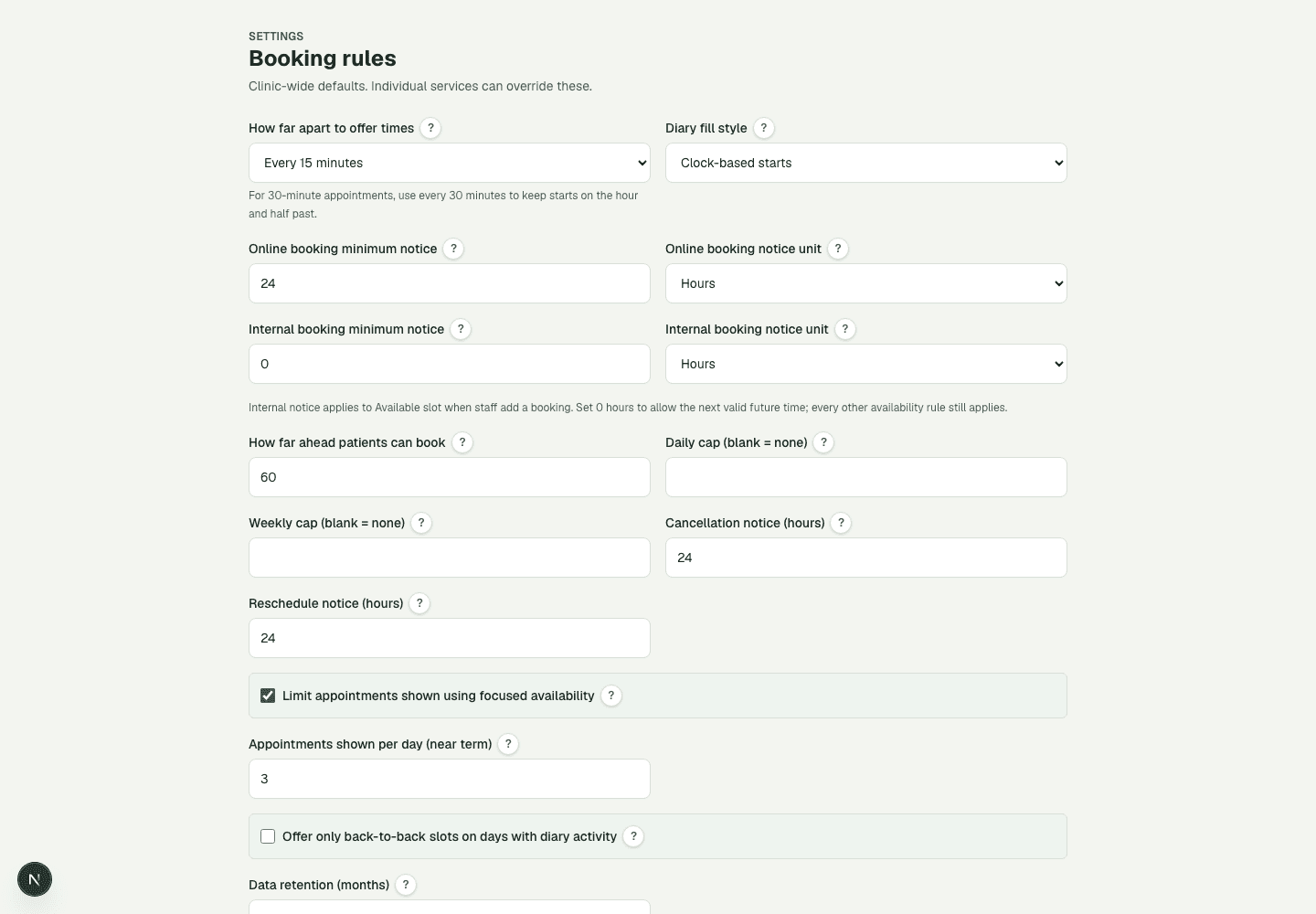
What the numbers show
- 1Turn the feature on for the whole clinic.
- 2Choose how many valid times to show per day in the near term.
How times are chosen
For the next 7 days, patients see up to the chosen number of times per practitioner per day. Further ahead, DiaryCare shows more of the valid times automatically, and by the last bookable day every valid time is shown. The list always prefers times closest to that practitioner's existing DiaryCare appointments, using their diary fill preference to break ties.
The opening-up pace follows how far ahead your clinic can be booked, including any per-service booking window or end date. For example, with a count of 3 and a 60-day window, a patient looking a few days ahead sees up to three times per practitioner, about half of the valid times a month ahead, and every valid time at the end of the window.
Couldn’t find the answer?
Email contact@diarycare.co.uk and tell us which step you reached.
Contact support