
Diary and booking settings
Update your business details
Change the service category, business name, reply email, booking address, or timezone.
For: Business owners
Change the details clients and patients use
- Open your business setup area → Business details.
- Choose Osteopathy, Physiotherapy, Barbering, or Hair salon.
- Update the business name, reply email, booking URL, or timezone.
- Select Save.
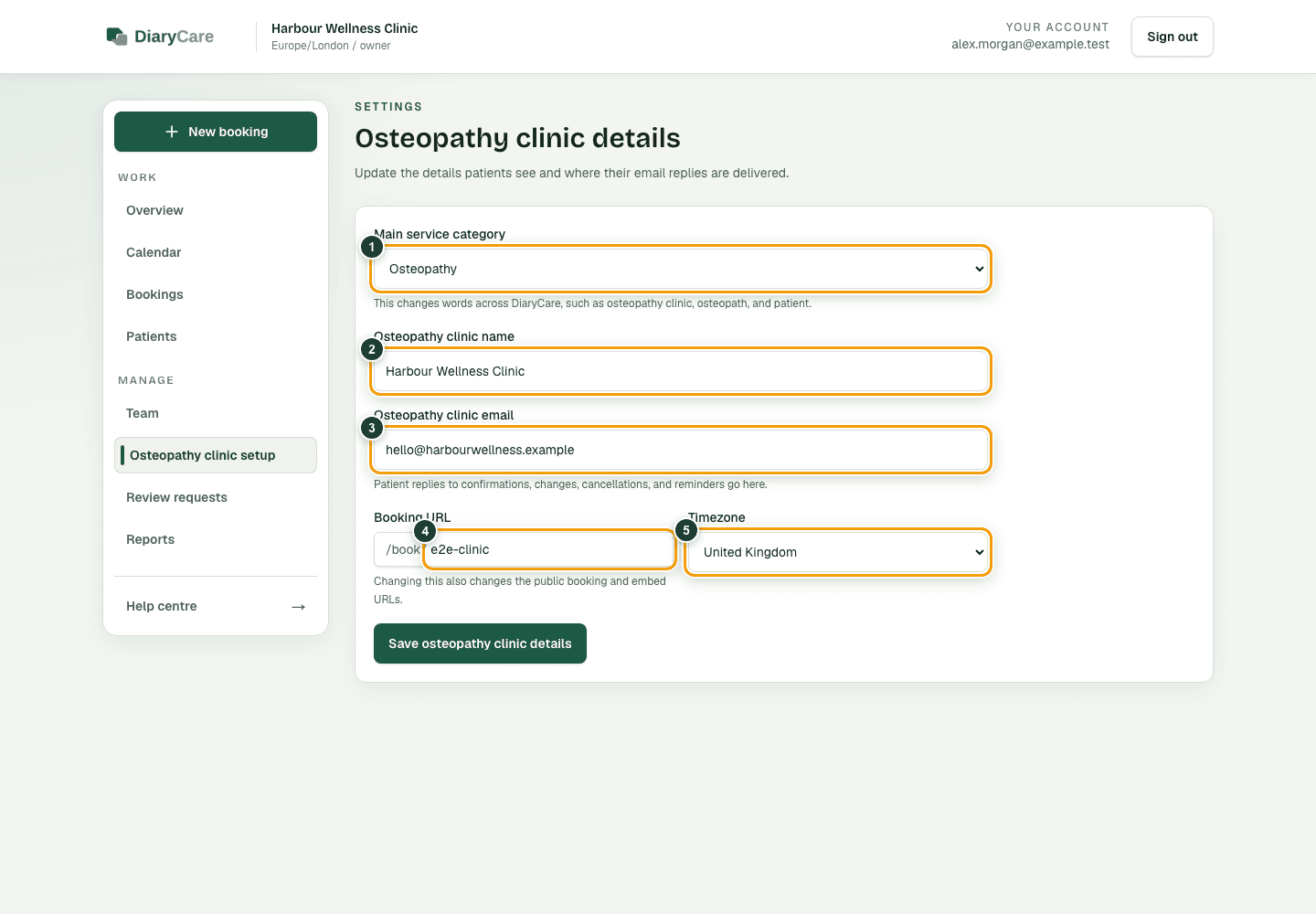
What the numbers show
- 1Choose the main service category to control DiaryCare’s wording.
- 2The business name is shown to staff, clients, and patients.
- 3Replies are delivered to the business email.
- 4The booking URL is the public link ending after /book/.
- 5The timezone controls how appointment times are displayed.
Check the effect of each change
- Service category changes business, team-member, and client or patient wording in navigation, the dashboard, bookings, approvals, customer records, reports, and online booking.
- Osteopathy and Physiotherapy use patient language and a Reason for visit field with clinical-data safety guidance.
- Barbering and Hair salon use client language and a Booking note field, with Barber or Stylist shown for the team member.
- Business name appears to staff, clients, and patients.
- Business email receives replies to confirmations and reminders.
- Booking URL is the public address you share.
- Timezone controls appointment times, working hours, reports, and messages.
Good to know: Changing the booking URL makes old links stop working. Changing the timezone can change how existing appointment times are displayed. After changing the category, URL, or timezone, open the public booking page and check the wording and diary. Administrators and other staff can view the business but cannot save Business details.
Couldn’t find the answer?
Email contact@diarycare.co.uk and tell us which step you reached.
Contact support