
Team and availability
Add and manage service providers
Create provider profiles and control how their available times are offered.
For: Owners and administrators
Add a service provider
- Open Team from the dashboard.
- Add the provider’s name and optional alert email. DiaryCare calls them an osteopath, physiotherapist, barber, or stylist according to Business details.
- Open the new profile.
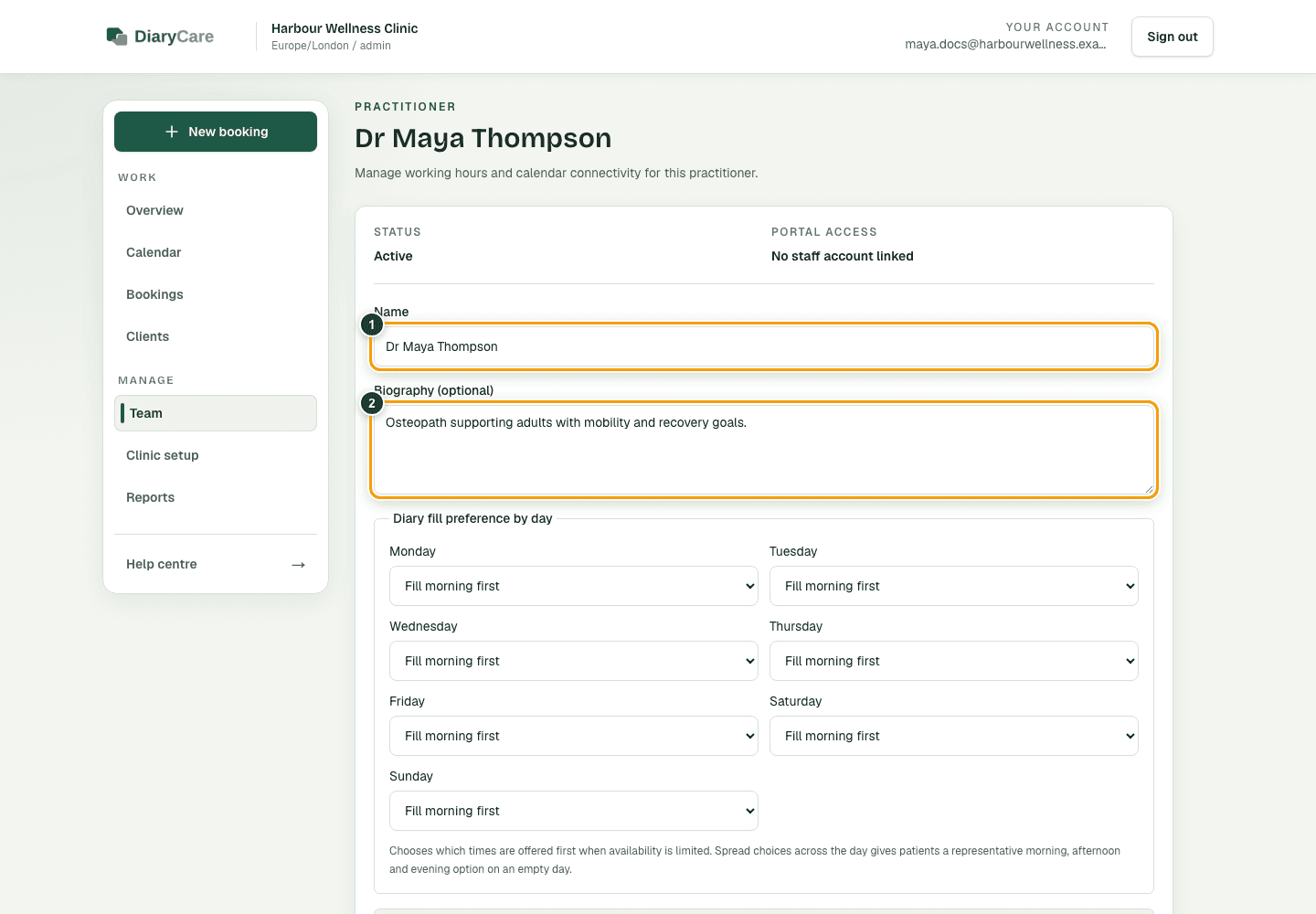
- Add a biography, optional online booking minimum notice if this provider needs a different public lead time from the business default, assign locations, and add working hours.
- Open Business setup → Services, choose each service they provide, and assign the provider there.
- Invite or link the provider’s staff account if they need portal access.
What the numbers show
- 1Use the provider’s customer-facing name.
- 2Write a short, plain-English biography without private staff information.
Diary fill preferences
- Choose whether each day should fill morning first, afternoon first, or show choices across the day.
- New provider profiles start with no preference, so valid choices can be shown across the working day.
- Online booking minimum notice is optional. Leave the amount blank to use the service override if set, otherwise the business online-booking minimum notice. A set value applies only to public and widget booking; staff Find times still use the internal booking notice.
- Use back-to-back only when customers should see times beside existing diary activity.
- Make the provider inactive when they should stop taking new bookings.
Good to know: A profile does not create a staff login. Invite the person separately if they need dashboard access. After changing the name, biography, online booking minimum notice, active status, locations, or services, check the public booking page.
Couldn’t find the answer?
Email contact@diarycare.co.uk and tell us which step you reached.
Contact support