
Diary and booking settings
Manage appointment locations
Add clinic sites, assign them to practitioners, and archive locations you no longer use.
For: Owners and administrators
Add a location
- Open Clinic setup → Locations.
- Enter a clear location name and, if useful, its address and postcode.
- Select Add location.
- Open each practitioner who works there and assign the location to them.
- Add working hours for that location.
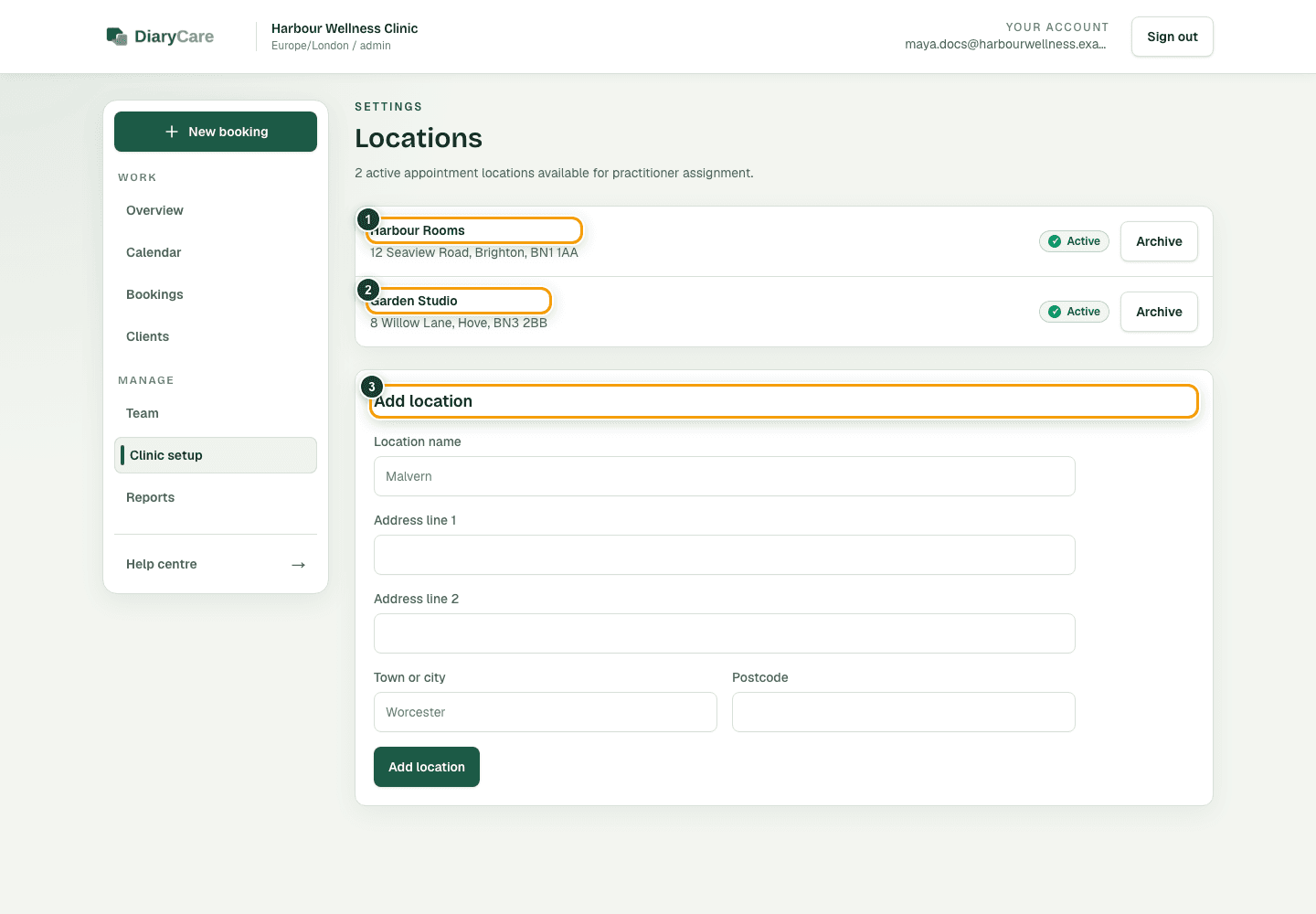
What the numbers show
- 1Review or archive an existing location.
- 2A practitioner can work at more than one location.
- 3Add a clear name and address for a new location.
Archive or restore a location
Archive a location to remove it from new bookings. Its old appointment records remain. You can restore it later from the same page.
Good to know: Patients see the location attached to an offered appointment. After adding or restoring a location, test a practitioner and service that should use it.
Couldn’t find the answer?
Email contact@diarycare.co.uk and tell us which step you reached.
Contact support