
Team and availability
Set the public provider order
Choose the order in which active providers appear to customers online.
For: Owners and administrators
Before you start
- At least two active provider profiles.
Change the order
- Open Team from the dashboard.
- Find Public booking order.
- Use the up or down arrow beside an active provider.
- Repeat until the active providers are in the order you want.
- Open the hosted booking page or widget to check the result.
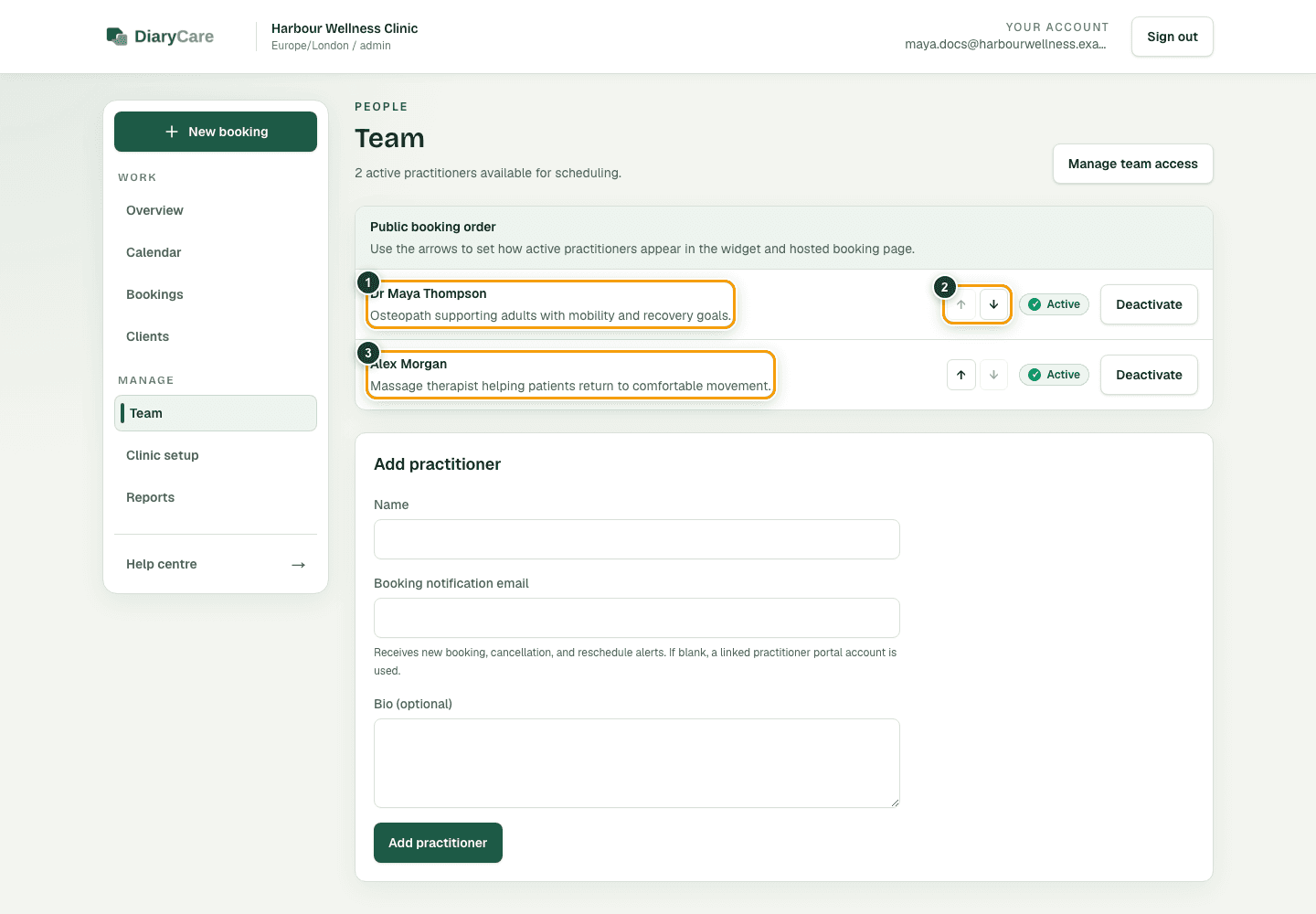
What the numbers show
- 1Open a provider to edit their profile and availability.
- 2Change the position to reorder active providers.
- 3The next active provider follows in the public list.
Good to know: The order is saved as each arrow is selected. It applies to both the hosted booking page and the website widget. Inactive providers are not offered for new bookings and cannot be moved in the active order.
Couldn’t find the answer?
Email contact@diarycare.co.uk and tell us which step you reached.
Contact support