
Getting started
Reset a forgotten password
Request a secure reset link and choose a new DiaryCare password.
For: All staff
Before you start
- Access to the email address used for your DiaryCare account.
Request a reset link
- Open the DiaryCare sign-in page and select Forgot password?
- Enter the email address you use to sign in.
- Select Send reset link, then check your inbox and spam folder.
- Open the link in the email within one hour.
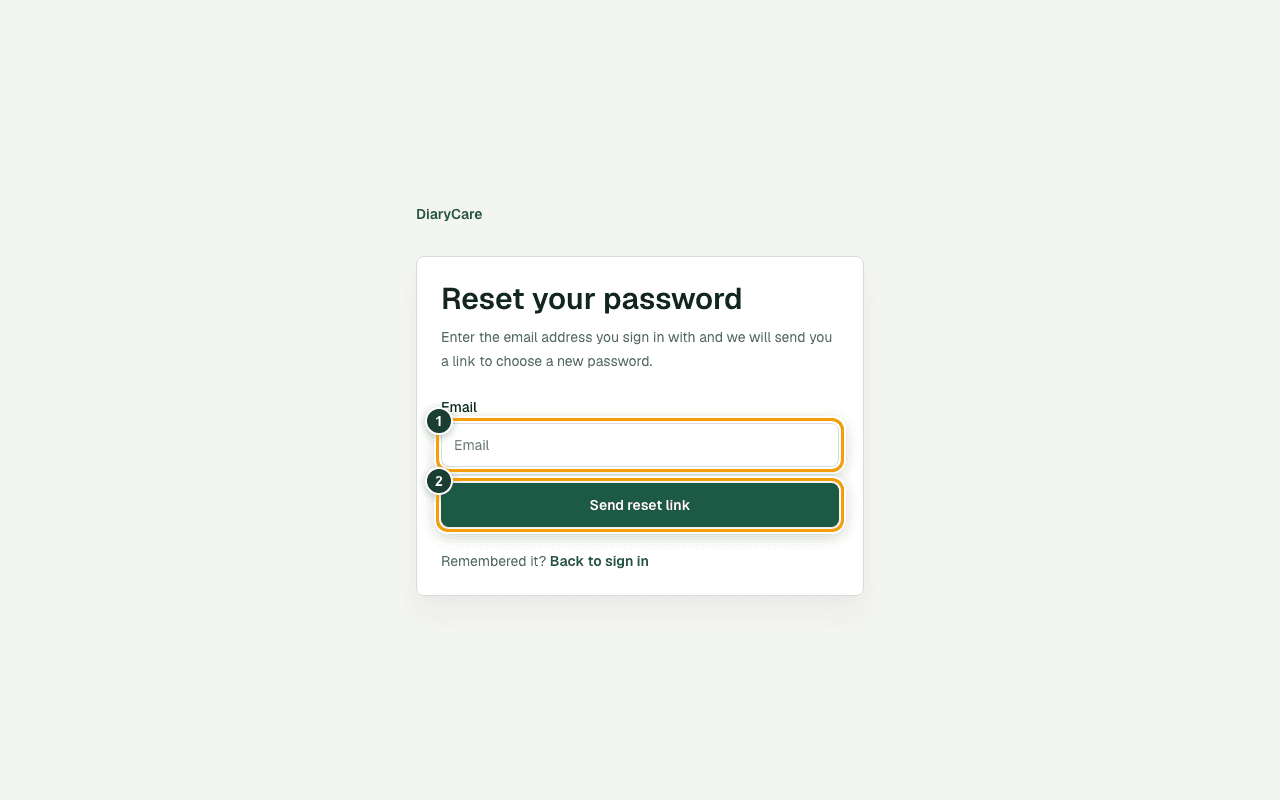
What the numbers show
- 1Enter the email address you use for DiaryCare.
- 2Select Send reset link once.
Good to know: For security, DiaryCare shows the same message whether or not an account exists for that email address.
Choose a new password
- Enter a new password with at least 10 characters.
- Enter the same password again and select Save new password.
- Sign in with the new password.
Good to know: A reset link works once and expires after one hour. Setting a new password signs your account out on every other device. Request a new link if the first one has expired.
Couldn’t find the answer?
Email contact@diarycare.co.uk and tell us which step you reached.
Contact support