
Reports and billing
Manage your subscription and invoices
Start a 30-day free trial, choose a plan, manage invoices, and review SMS use.
For: Clinic owners
Choose or manage a plan
- Open Clinic setup → Billing.
- If the clinic has no subscription, choose Solo, Practice, or Growth and monthly or annual billing. Every choice starts with a 30-day free trial.
- Use Manage billing to open the secure Stripe billing page.
- In Stripe, update the payment method, download invoices, or manage renewal.
Plans and usage
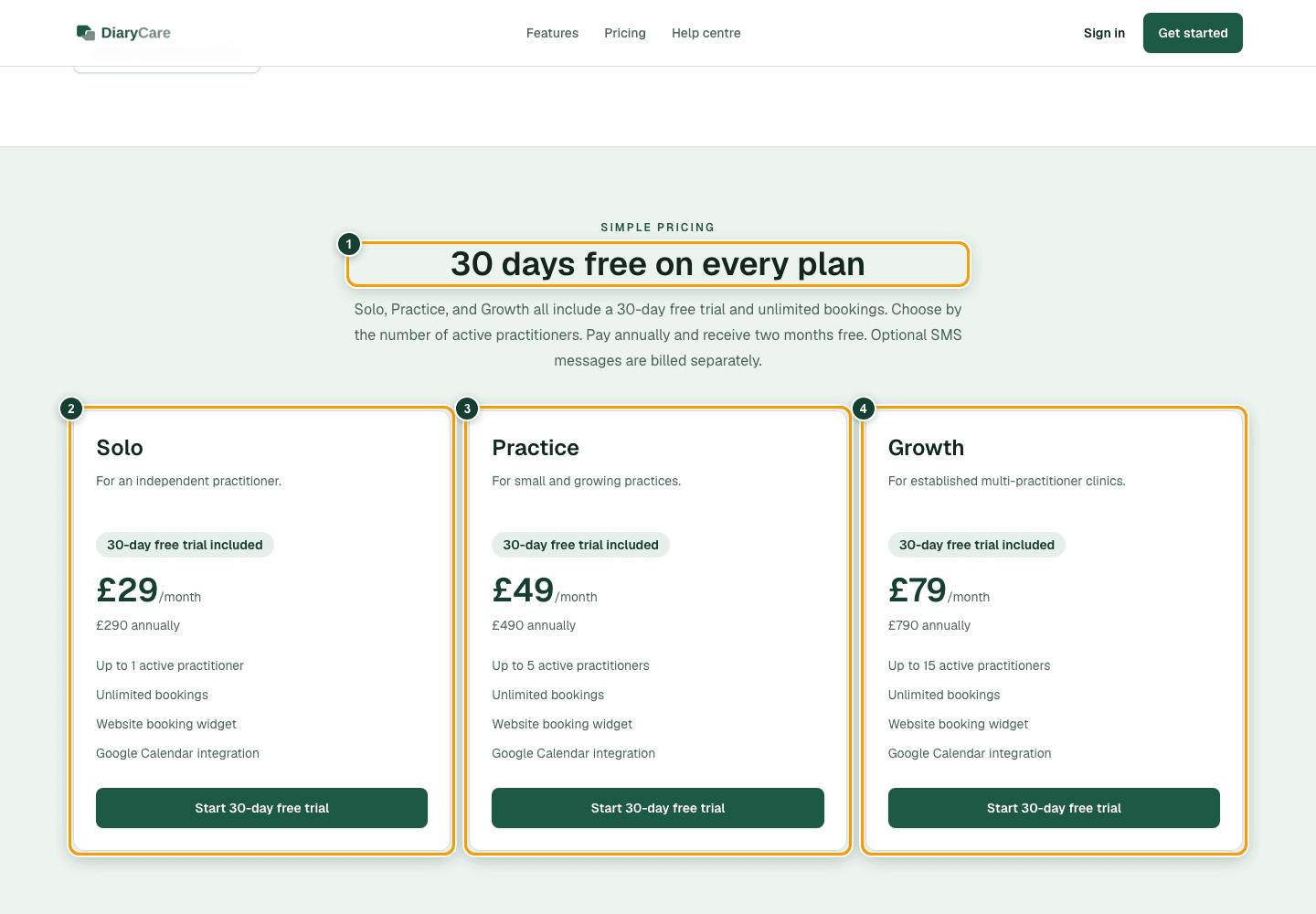
Solo, Practice, and Growth each include a 30-day free trial, unlimited bookings, the website widget, and Google Calendar. Plans differ by the number of active practitioners. Optional SMS messages are billed separately; when SMS is in use, DiaryCare shows the message count and an estimated charge for the current billing period.
What the numbers show
- 1The pricing heading confirms that every plan starts free for 30 days.
- 2Solo includes the 30-day free trial.
- 3Practice includes the 30-day free trial.
- 4Growth includes the 30-day free trial.
Good to know: The plan subscription charge starts after the 30-day trial unless you cancel through Stripe before it ends.
Couldn’t find the answer?
Email contact@diarycare.co.uk and tell us which step you reached.
Contact support